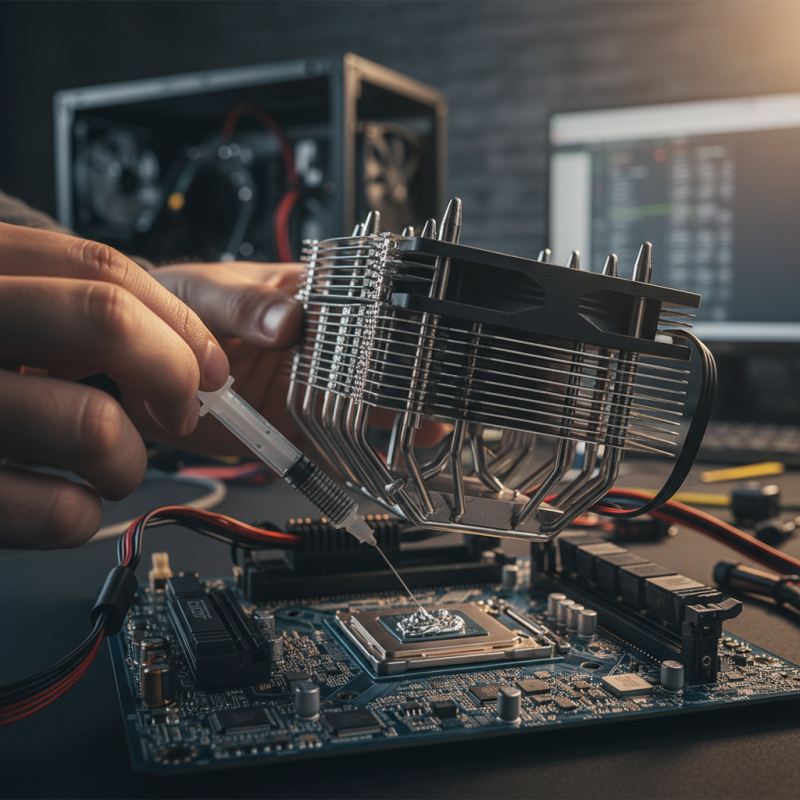
Why is Thermal Paste Essential for Your PC Performance?
Thermal Paste plays a crucial role in your PC's performance. It ensures efficient heat transfer between the CPU and heat sink. Without it, your computer can overheat, leading to potential damage.
Many users overlook the importance of Thermal Paste. It’s not just a substance; it’s a protector of your system's integrity. Applying it correctly can be a challenge. If done poorly, it may cause more harm than good.
Regular maintenance and timely replacement of Thermal Paste are essential. Over time, it can dry out, losing effectiveness. A careful application can improve your computer's longevity. Prioritizing this often-forgotten step can lead to better gaming experiences and smoother multitasking.
Understanding Thermal Paste and Its Role in PC Performance
Thermal paste plays a crucial role in ensuring that your PC runs efficiently. It fills the microscopic gaps between the CPU or GPU and the heat sink. This paste enhances thermal conductivity, allowing heat to dissipate more effectively. When the heat is managed well, your components perform better and last longer.
However, applying thermal paste isn't as straightforward as it seems. The right amount is essential. Too little won’t provide adequate coverage, while too much can create a mess. It's also important to choose the right type. Some pastes can degrade over time, losing their effectiveness. Regular checks and reapplications are necessary.
Many gamers and professionals overlook this aspect, leading to potential overheating issues. Inadequate thermal paste can cause throttling, which diminishes performance. Observing your CPU temperatures can guide when it's time to reapply. Making these adjustments can significantly improve your PC overall. Ignoring thermal paste could cost you in the long run.
How Thermal Paste Improves Heat Transfer Between CPU and Heatsink
Thermal paste plays a critical role in enhancing heat transfer between the CPU and the heatsink. When a CPU operates, it generates heat. If this heat is not dissipated effectively, it can lead to performance issues or even hardware failure. Thermal paste fills microscopic gaps between the CPU surface and the heatsink. This means better contact and improved heat conduction.
To ensure efficiency, it's essential to apply the right amount of thermal paste. Too little can leave gaps, reducing conductivity. Too much can create a mess and impede performance. A thin, even layer is generally best. Over time, thermal paste can dry out or become less effective, which is why regular checks are recommended.
Using a quality thermal paste is important, but even inexperienced builders can achieve decent results. The key is proper application. Some may find themselves questioning the necessity of reapplying thermal paste. However, neglecting it can lead to overheating issues. Keeping an eye on temperatures can guide when it’s time to refresh the paste.
Impact of Thermal Paste on CPU Temperature
This chart showcases the relationship between different types of thermal paste and their effectiveness in reducing CPU temperatures during load conditions.
Types of Thermal Paste and Their Impact on Efficiency
Thermal paste is crucial for optimal PC performance. Different types of thermal paste vary in composition and effectiveness. Common materials include silicone, metal oxide, and liquid metal. Each type has unique thermal conductivity levels, impacting heat dissipation from components. For instance, metal-based pastes typically achieve thermal conductivity ratings over 10 W/mK, while silicone-based pastes generally range from 1 to 5 W/mK.
Choosing the right thermal paste can greatly enhance cooling efficiency. A 2021 report indicated that improper application of thermal paste could reduce CPU temperature regulation by up to 30%. Overheating can lead to throttling and even hardware damage over time. Therefore, knowing how to apply thermal paste correctly is equally important. Over-application can trap air, while under-application may cause insufficient heat transfer.
The role of thermal paste extends beyond just performance. Poor quality thermal paste can degrade over time, resulting in increased temperatures and decreased lifespan for components. Regular checks and replacements are essential for maintaining efficient airflow. While many gamers and PC builders focus on high-end components, they often overlook this small yet essential element. Reliable thermal paste plays a significant role in ensuring that systems run smoothly and reliably.
Signs That Your Thermal Paste Needs Replacement
Thermal paste plays a critical role in maintaining optimal temperatures in a PC. As time goes by, the effectiveness of thermal paste can diminish. Signs that it may need replacement include increased CPU temperatures under load. If your gaming or productivity PC feels hotter than normal, this could indicate degraded thermal paste.
Another clear sign is when you notice thermal throttling. This occurs when your CPU reduces its performance to manage excess heat. Regularly checking your PC’s temperature and performance metrics is essential. If you observe unusual spikes, it may be time to assess the thermal paste condition.
Additionally, visual signs can indicate the need for replacement. Cracked or dried-out thermal paste can lose its effectiveness. If you open your PC and find the paste flaky or crumbly, it’s a definite red flag. Regular maintenance helps prevent these issues, ensuring a cooler and more efficient system.
Best Practices for Applying Thermal Paste Effectively
Applying thermal paste is crucial for optimal PC performance. It ensures effective heat transfer from the CPU or GPU to the cooler. However, the application process can often seem daunting. There are several best practices to keep in mind.
Clean the surfaces before applying thermal paste. Dust or old residue can hinder the thermal interface. Use isopropyl alcohol and a lint-free cloth for a thorough clean. This step may seem small, but its impact is significant.
Next, less is often more. Apply a small, pea-sized amount of thermal paste in the center of the chip. When the cooler is reattached, it will spread evenly. Over-applying can create a mess and lead to inefficient heat transfer.
Finally, take a moment to reflect after applying the paste. Ensure there are no air bubbles trapped beneath the thermal paste. This can affect the performance of your system. By considering these details, you can enhance your system's lifespan and efficiency. Getting it right the first time is key.